
Built for Windows
Native where it counts, useful when the connection changes.
- Native AOT x86, x64, ARM64
- Cached first Offline-aware
- Accessible Keyboard and High Contrast
- Private diagnostics No account identifiers
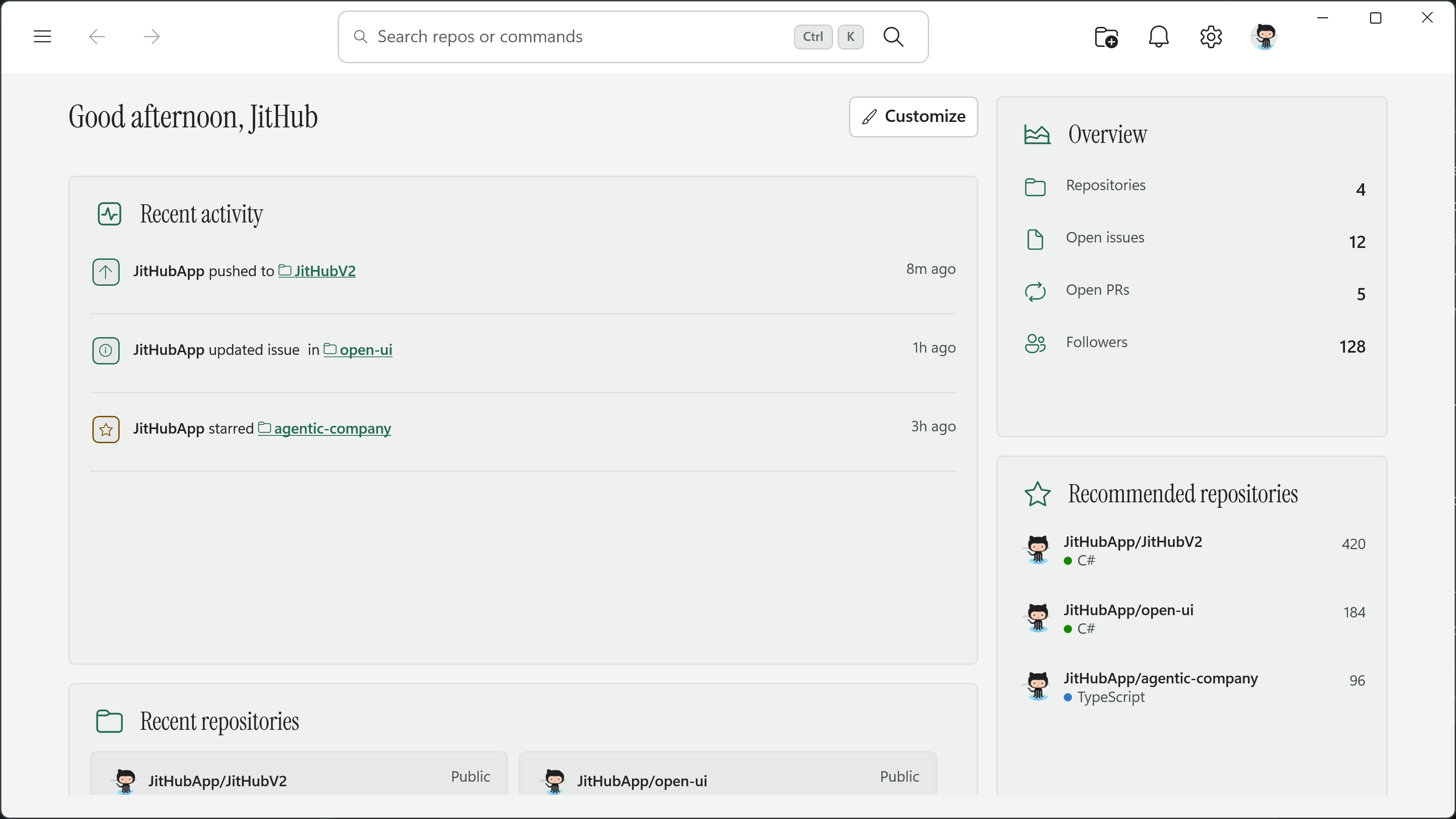
Home and workspace
Start with what needs your attention.
Home keeps recent activity, repositories, account overview, and common actions in one place. Choose the widgets that are useful to you and leave the rest out.
- Search repositories and commands from anywhere in the app.
- Arrange activity, recent repositories, and account overview around the way you work.
- Keep frequently used repositories nearby in the collapsible navigation rail.
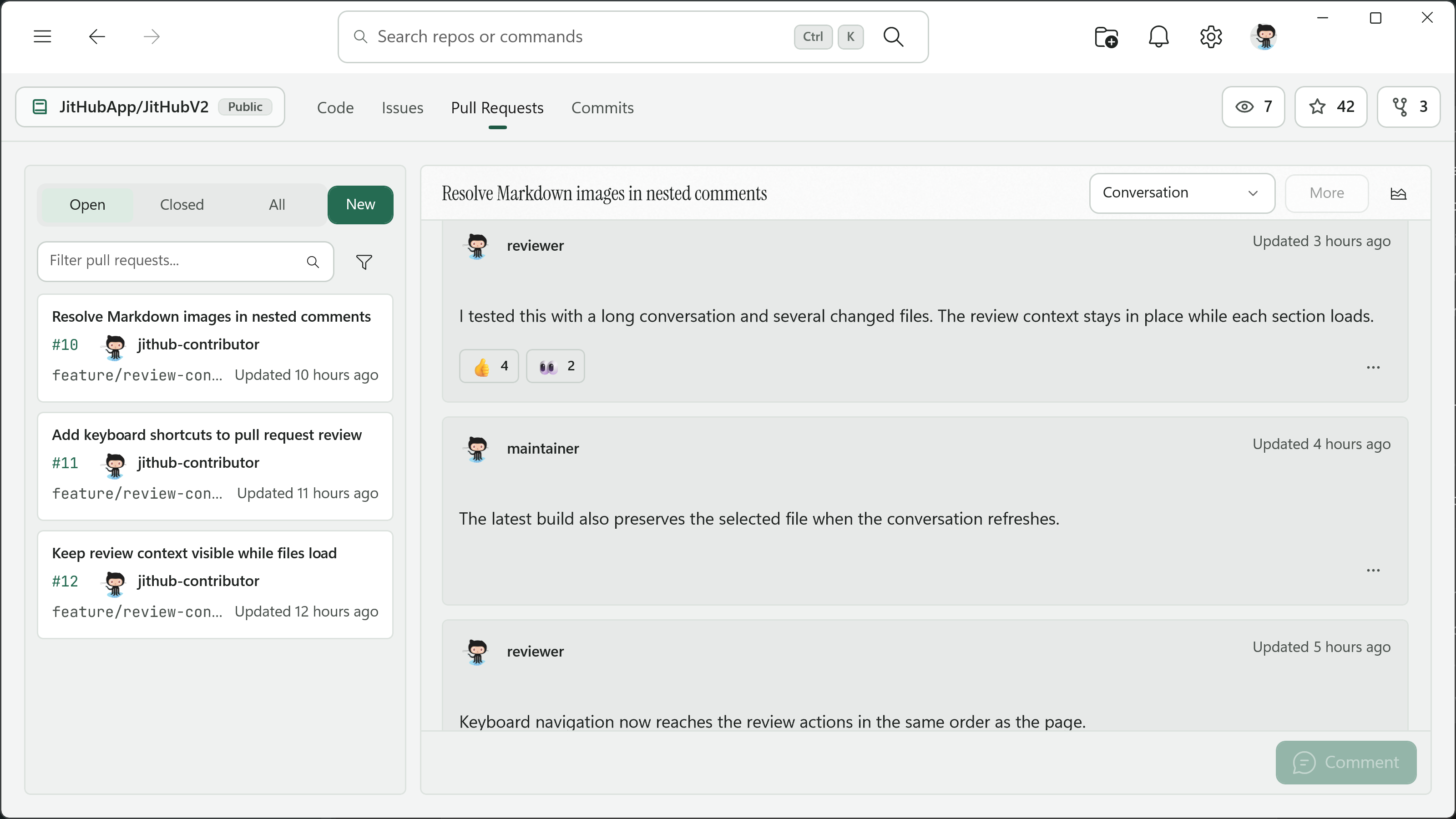
Issues and pull requests
Read the thread. Review the change.
Issues and pull requests keep the conversation, files, commits, reviews, and status together. Personal queues and repository workspaces follow the same familiar shape.
- Move between conversation, files, commits, and reviews without rebuilding context.
- Reply, react, quote, edit, pin, hide, and copy links or Markdown from comments.
- Review and merge with checks and repository status close by.
Code and rich files
Browse a repository without losing context.
Move through branches and files, read Markdown, inspect CSV or SVG content, and edit source from the same repository view.
- Browse branches and file trees with breadcrumbs that keep the current path clear.
- Read Markdown, SVG, CSV, and TSV files in views made for their content.
- Use the native editor or switch back to the original source whenever you need it.
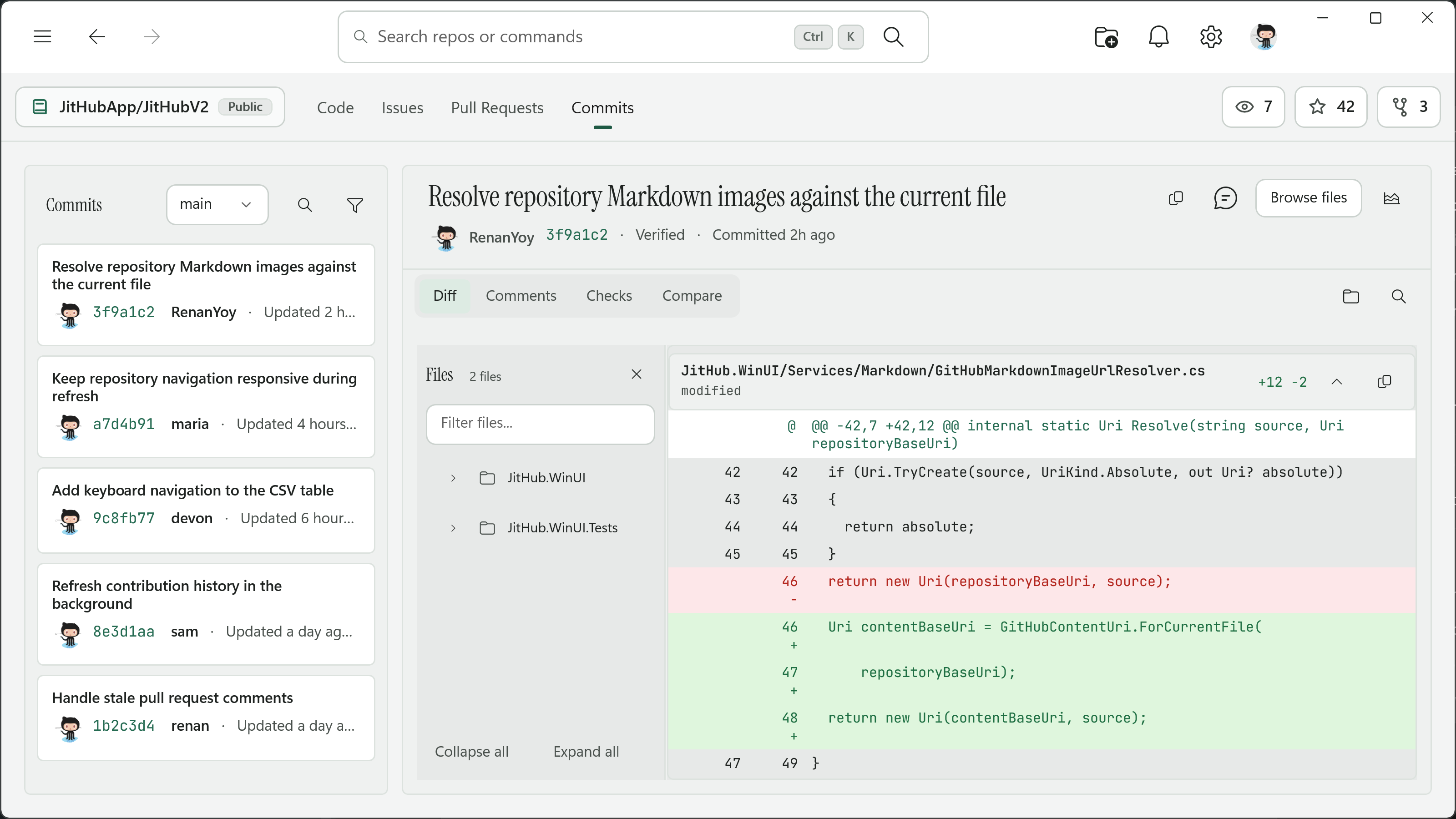
Commits and changes
See what changed, file by file.
Commit history leads into a focused diff with changed files, checks, and discussion nearby. Branch comparison and search are available when the change is larger.
- Scan history with filters available when the list needs narrowing.
- Use the changed-file tree to move through or collapse parts of a larger diff.
- Search and copy changes, inspect checks, compare branches, and discuss a commit.
Libraries and identity
Keep Stars, Gists, and people close.
Organize saved repositories, work with Gists, check profiles and contributions, triage notifications, and manage the account behind it all.
- Group Stars with smart lists and colored categories, with search and bulk actions when needed.
- Create and edit multi-file Gists alongside their rendered Markdown.
- Move through profiles, notifications, repositories, and settings without leaving the app.
Color themes
Choose a color theme in Settings.
Twenty color families are included. Each supports Light and Dark and applies immediately. High Contrast, transparency, and reduced motion continue to follow Windows.
JitHub
The original jade JitHub palette.
Windows 11
Neutral Windows surfaces with a familiar blue accent.
One Dark Pro
Balanced editor neutrals inspired by One Dark Pro.
Dracula
Deep violet surfaces and vivid accents inspired by Dracula.
- Visual Studio Code
- GitHub
- Solarized
- Nord
- Tokyo Night
- Catppuccin
- Gruvbox
- Monokai
- Ayu
- Night Owl
- Rose Pine
- Everforest
- Cobalt2
- Material
- Visual Studio
- Quiet Light
What you can do
The main parts of GitHub, close at hand.
JitHub covers the everyday repository work as well as the account, library, and file tools around it.
Native foundation
Sign in
Device authorization, retry, cancellation, and private credential storage.
Shell
Persistent navigation, repository rail, history, search, and title-bar actions.
Home
Recent work, customizable widgets, repository navigation, and account overview.
Notifications
Unread, read, done, subscription controls, badges, and internal routing.
Settings
Live color themes, telemetry, cache, diagnostics, export, clearing, and About.
Dialogs and flyouts
Predictable sizing, focus restoration, validation, and light dismiss.
Collaboration
My Issues
State, scope, filters, search, detail, editing, comments, and reactions.
My Pull Requests
Personal review queues, sections, replies, reactions, review, and merge.
Repository Issues
Issue lists, filters, details, metadata, state, and comments.
Repository Pull Requests
Conversation, files, commits, reviews, timeline, and merge workflows.
Code and history
Repository workspace
Identity, branches, actions, tabs, and repository controls.
Repository code
Tree, breadcrumbs, branches, previews, find, outline, and large files.
Repository commits
History, file trees, diffs, compare, search, copy, comments, and checks.
Repository search
Typed results, filters, sorting, paging, and internal navigation.
Native Markdown
Tables, tasks, code, images, SVG, links, selection, and copy.
CSV and TSV
Frozen headers, virtualization, sorting, resizing, selection, copy, and UIA.
SVG viewport
Secure rendering, cancellation, tiling, DPI support, and 0.1x to 8x zoom.
Code editor
Highlighting, line numbers, find, go-to-line, wrapping, selection, and copy.
Libraries and account
Stars
Smart lists, categories, colors, search, bulk actions, sync, and offline use.
Gists
Paged library, file detail, create, edit, delete, and Markdown.
Profiles
Authenticated and public profiles, lazy sections, edit, follow, and routing.
Repositories
Filters, search, sorting, paging, creation, deletion, and offline state.
For Windows
Try JitHub on your desktop.
Install JitHub from the Microsoft Store, or explore the complete open source project.